Built for people who
live in their inbox
Every feature designed to eliminate the distance between thinking and doing. Availible on MacOS. Coming soon to Windows, Linux, and mobile.
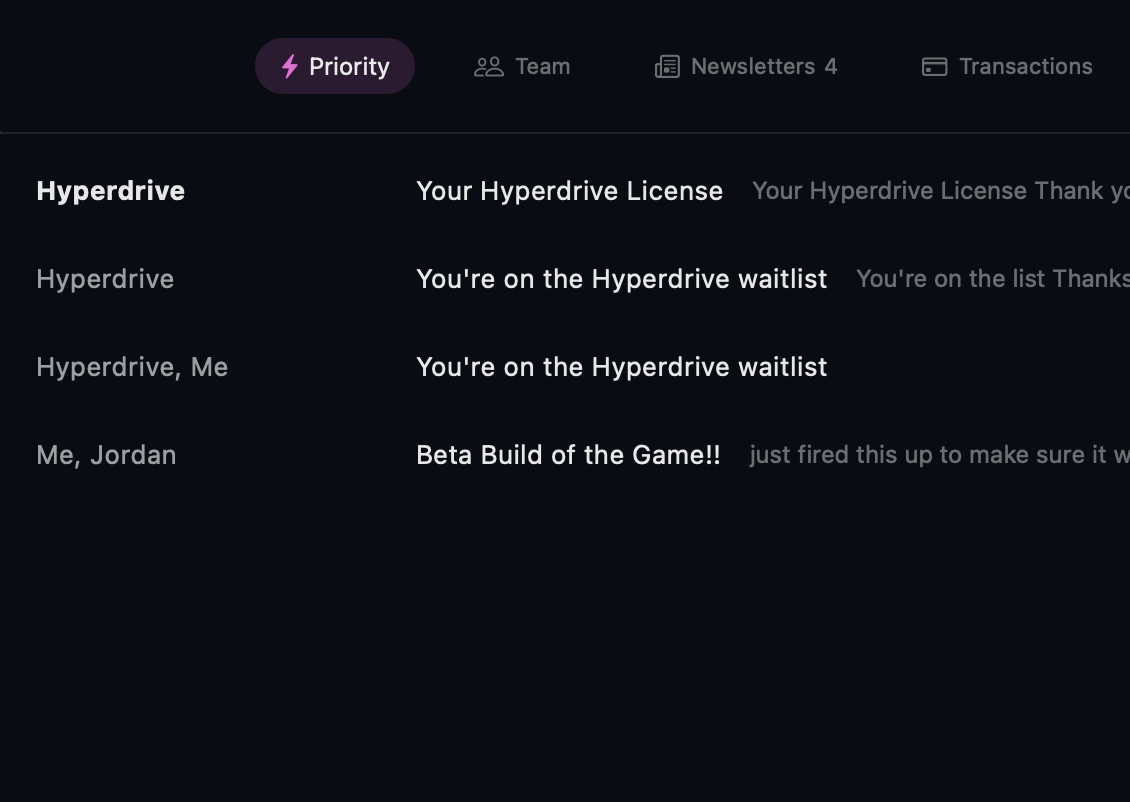
Your inbox, organized before you open it
Emails are sorted the instant they arrive. No rules to write. No filters to manage. Just open Hyperdrive and start with what matters.
-
9 default vectors — Priority, Team, Newsletters, Transactions, Shipping, Travel, Calendar, Pitch, Backlog
-
Custom vectors from natural language descriptions
-
Private local classification that keeps your inbox organized without sending your email content away
-
Learns from your preferences so your inbox gets better over time
-
Cold pitch detection filters outreach from real conversations
Your hands never leave the keyboard
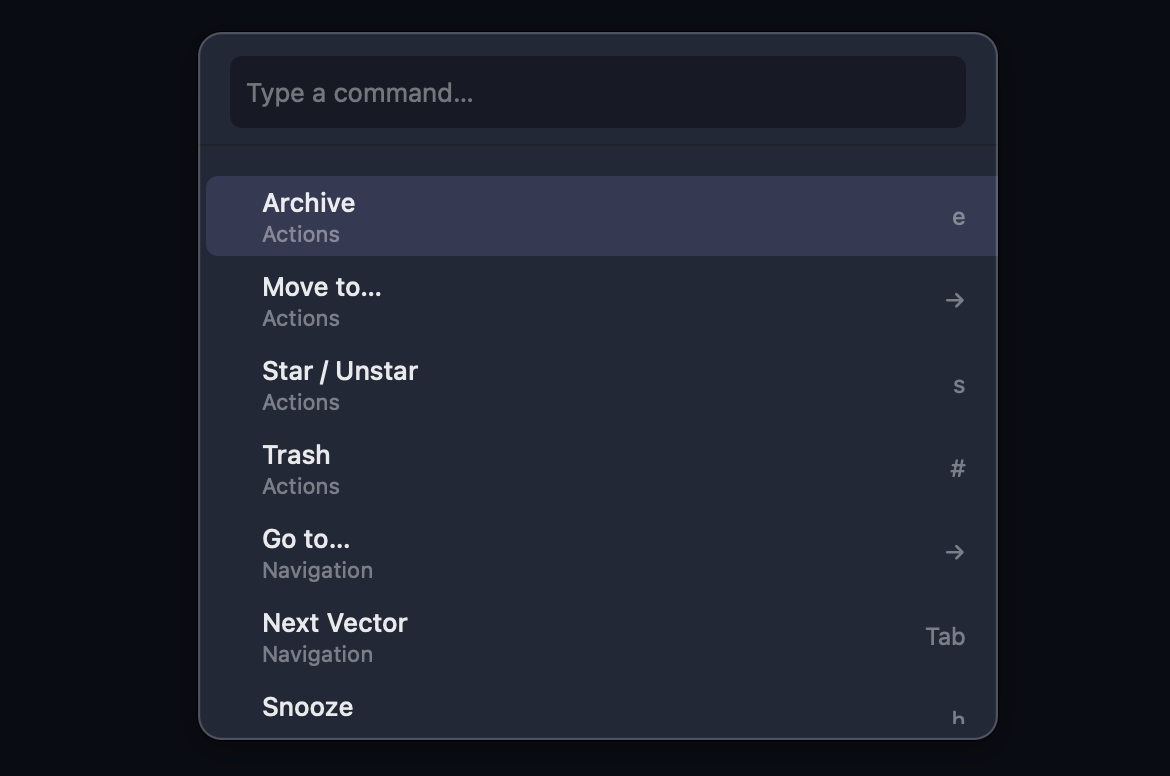
Navigate, triage, compose, and search without reaching for the mouse. Every action has a shortcut. Every shortcut is rebindable.
-
Command palette (Cmd+K) with fuzzy search across every action
-
j/k navigation and vim-style two-key chords (g+i, g+e, g+s)
-
100+ rebindable shortcuts — remap any key to fit your muscle memory
-
Auto-advance after archive keeps you in flow without returning to the list
-
Instant account switching with Cmd+1 through Cmd+5
AI that amplifies your voice
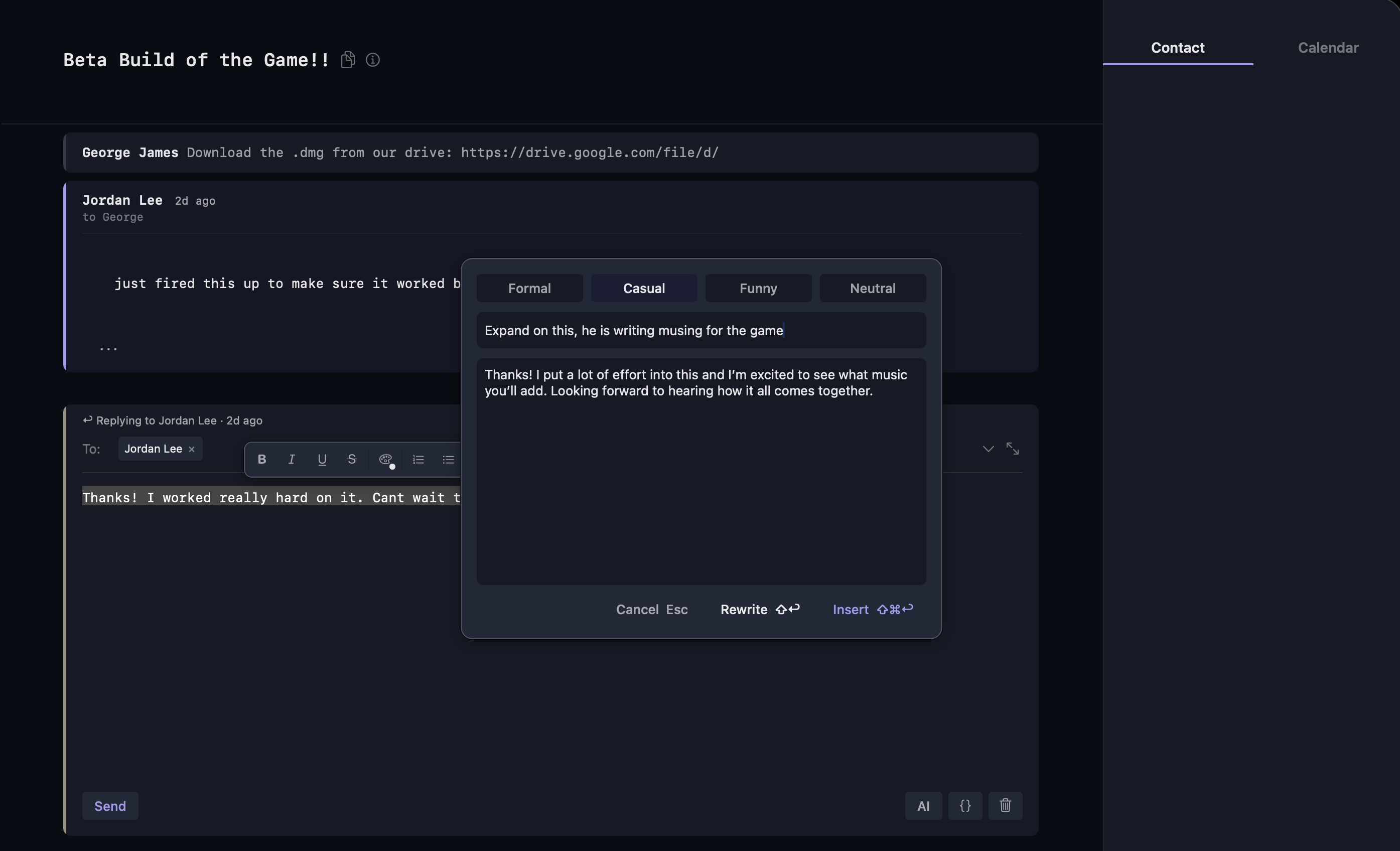
Rewrite in your tone. Summarize long threads in seconds. Search in plain English. Built-in AI runs onboard, so your email stays on your device.
-
Rewrite with tone for clearer, more polished replies
-
Thread summarization across email and Slack
-
Auto-draft replies so you can respond faster with a strong first pass
-
Natural language search across your entire mailbox
-
Smart vector generation from plain English descriptions
Your schedule, inside your inbox
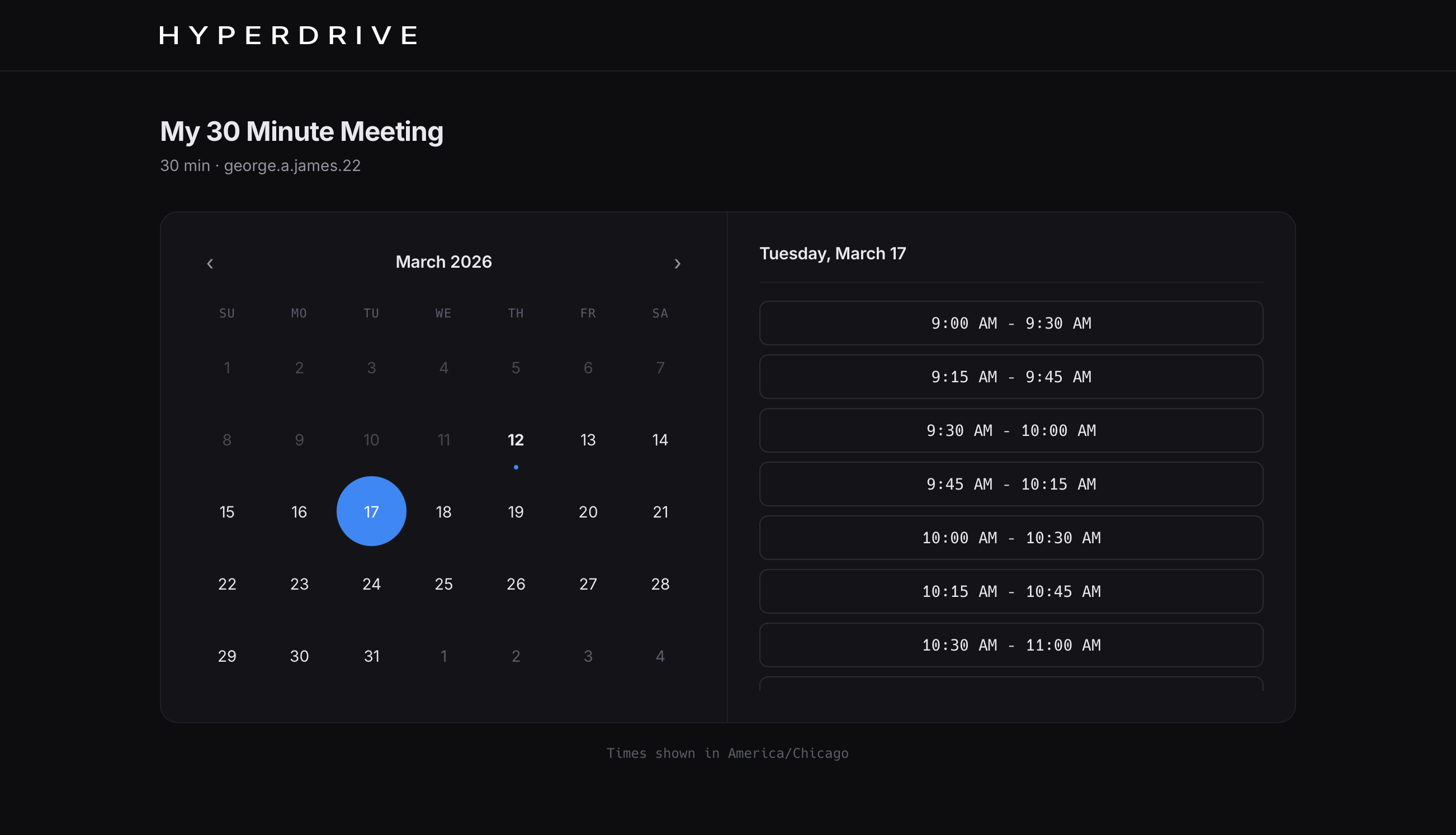
See your day at a glance. Create events from emails. Share your availability. No extra app. No context switching.
-
Full calendar view with day, week, and month modes
-
AI event extraction from email threads
-
Built-in scheduling links — no Calendly needed
-
Inline RSVP — Accept, Maybe, Decline in one click
Inbox zero in minutes, not hours
Every tool is designed to reduce the number of actions between you and an empty inbox.
-
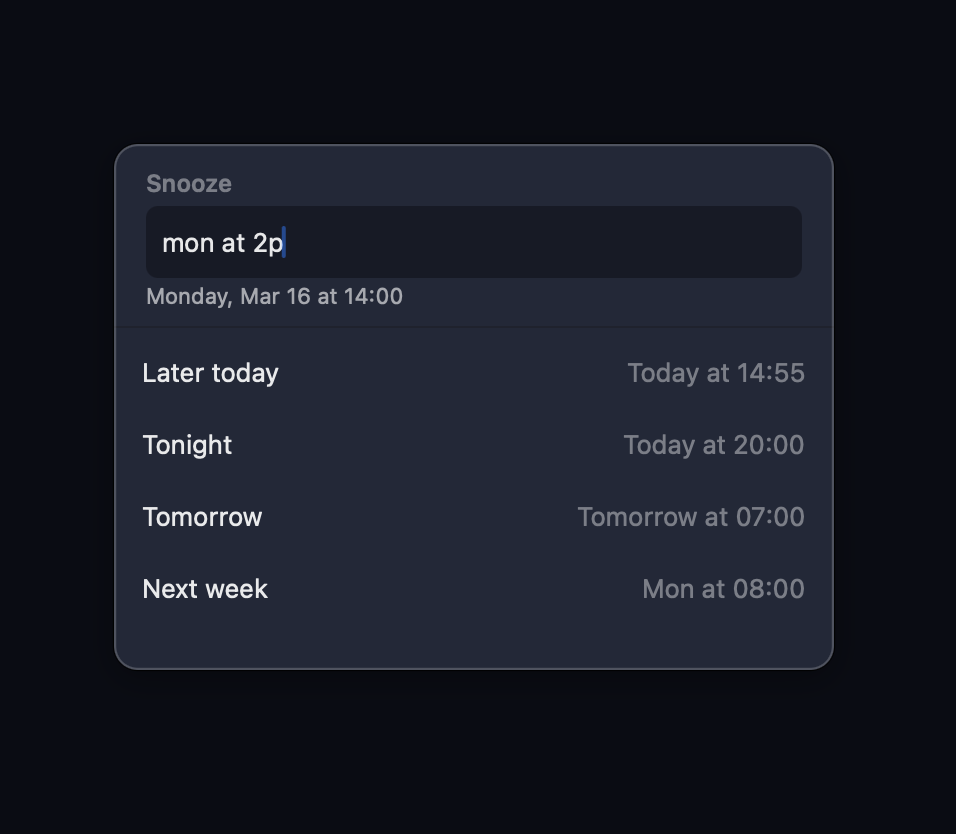
Snooze with natural language (Later Today, Tomorrow, Next Week)
-
Undo send with configurable 3-30 second window
-
Read receipts and link click tracking built in
-
Contact pane with relationship intelligence and recent history
-
One-click unsubscribe via RFC 8058
All the details that matter
The kind of polish you feel but can't always name.
Slack Integration
Read and reply to Slack DMs, channels, and mentions alongside your email. One triage flow, zero tab switching.
Inbox Zero Celebration
Full-screen curated photography with session stats when you clear your inbox.
Multi-Account
Up to 5 Gmail accounts with Cmd+1 through Cmd+5 switching. Each with its own vectors and classification model.
Typography
Choose your font family, size, and line height. Monospace or proportional — your inbox, your type.
Remote Image Blocking
Block tracking pixels by default. Load images per-sender when you trust them.
Zoom & Google Meet
Create and join video calls directly from calendar events. One click to connect, no link hunting.
Notification Control
Per-account and per-vector notification rules. Get pinged for Priority, silence Newsletters. Native macOS, Windows, Linux, and mobile alerts.
Dark Mode
Full dark mode that respects your system setting. Email content is rendered with adaptive backgrounds so HTML emails don't blind you.
Send Later
Schedule emails for any date and time. Natural language parsing — type "tomorrow 9am" and it's set. Cross-device sync.